
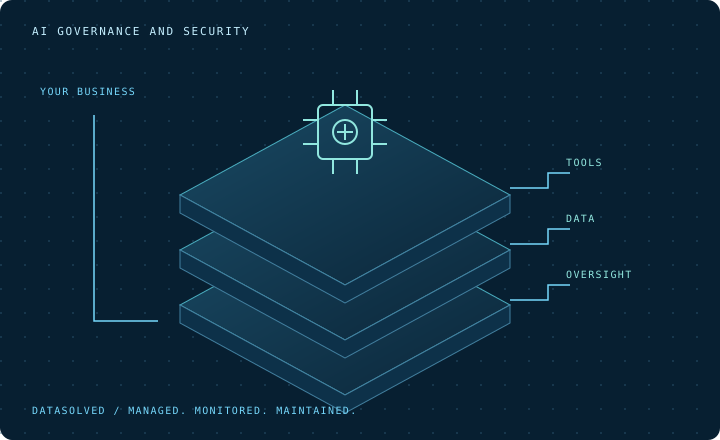
See It Before Choosing Controls
Choose controls based on the tools, accounts and data staff use. Approved business accounts, personal accounts, browser extensions and other apps can have different risks. A product name alone does not approve every use.
We help manage ChatGPT, Claude, Microsoft Copilot and Google Gemini. The 30-day AI Usage Discovery provides a report and review meeting. Decide what will be monitored and tell staff before anything is installed.
Related Services
Connect Policy with Enforceable Decisions
Give staff clear rules and a supported way to do their work. Define tools, accounts, permitted data and who approves exceptions. For a ban on client records, state which records it covers and how you test it.
Record rules, settings, responsible people and review dates. Some rules use controls. Others need training, supervision or professional judgment. Exceptions need a reason, approval and a review point.
Protect Private Data in AI Prompts and Uploads
Protect the data your business must keep private. Include client records, financial data, private matters and credentials. Classification and sensitivity labels can link those rules with supported controls.
Controls may audit, warn on or block prompts, pasted text and uploads. Confirm covered apps, browsers, devices and accounts. Test allowed and blocked work with harmless examples. Record gaps and false positives, explain warnings and review exceptions.
Restrict Unapproved AI Apps
Keep an approved route for staff to use AI. List permitted accounts and tasks. Where supported, app and web limits can block unapproved services. Check browser extensions, desktop apps and connected services too.
Give staff a way to request a new tool or exception. Review its data, account management and business purpose. Keep the list and controls current.
Control Identity, Access and Connected Data
Give people access that fits their roles and work. Use business-owned accounts where supported. Decide who manages accounts and licenses, review admin access and apply supported sign-in safeguards. Include AI in onboarding, role changes and offboarding.
For Copilot, review Microsoft 365 permissions, oversharing, sensitivity labels and data hygiene. Check connected data and other platform integrations. Record who approves and reviews access, and how to remove it.
Make Logging and Reporting Useful to Leadership
Get reports that help leadership decide what to change. Agree what activity can be logged and which questions it should answer. Distinguish approved use, policy events, repeated warnings and exceptions. Confirm what the records show and where gaps remain.
Assign reviewers, limit access and agree how long to keep records. Explain monitoring to staff. Keep investigation details with the right people and private data out of routine summaries.
Prepare for AI-Related Data Exposure
Give staff a clear way to report AI mistakes. Examples include entering restricted data, sharing an account incorrectly or finding unexpected access. Report what happened without copying exposed data into another uncontrolled channel.
Note the account, service and type of data involved. Preserve evidence, assess containment and involve business and security contacts. Check access, integrations and exposed credentials. Qualified advisers determine whether you must notify anyone. Deleting a conversation may not reverse exposure. Review the incident and update rules, controls or training.
Use It Well After the Limits Are Clear
Help staff use approved AI after data and access rules are clear. Connect department tasks and training with approved accounts. Explain warnings, exceptions and how to report concerns.
This service covers security and enforcement. The AI hub covers wider adoption. Confirm what is covered before giving more people access.
Frequently Asked Questions
Which AI Workflows Can You Protect?
Coverage depends on the apps, browsers and devices your team uses, which we confirm with you first.